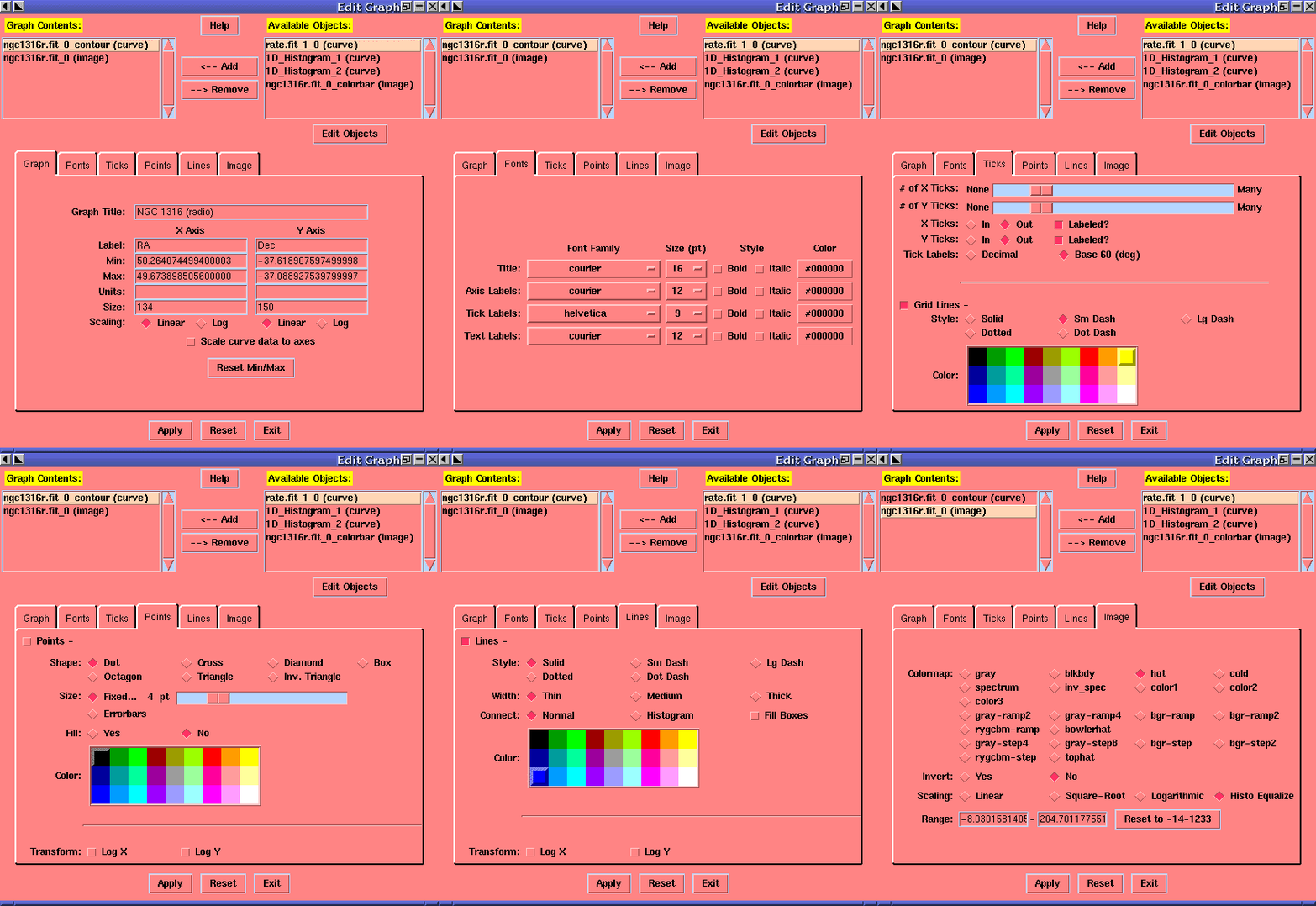
POW Graph Edit OptionsThe user can customize how a graph and its objects are displayed. Graph options:The contents of a graph can be easily changed via a pair of list boxes. The graph's labels and bounding box may be changed. The number of tick marks drawn on each axis is controlled by a sliding bar. The tick marks may optionally be connected by grid lines in a number colors and line styles. Axes can be linear or log scaling. Font styles of titles, axis labels, tick labels, and text labels can each be controlled. Curve options:Each curve in a graph can be assigned its own color, point shape/size, and line style/width. Points can filled or outlined and Lines can be drawn normally or as a histogram. Curve data can be transformed to logarithmic form for plotting in log graphs. Image options:More than 20 color maps are available. These can be inverted, scaled linearly or by a square-root or logarithmic function or by histogram equalization, and mapped to a specified range of pixel intensities. View the following animated image to see all the options available.
Pages maintained by Bryan Irby Send bug reports or feature requests to ftoolshelp@athena.gsfc.nasa.gov |